Peak Film · pfGlass · C2
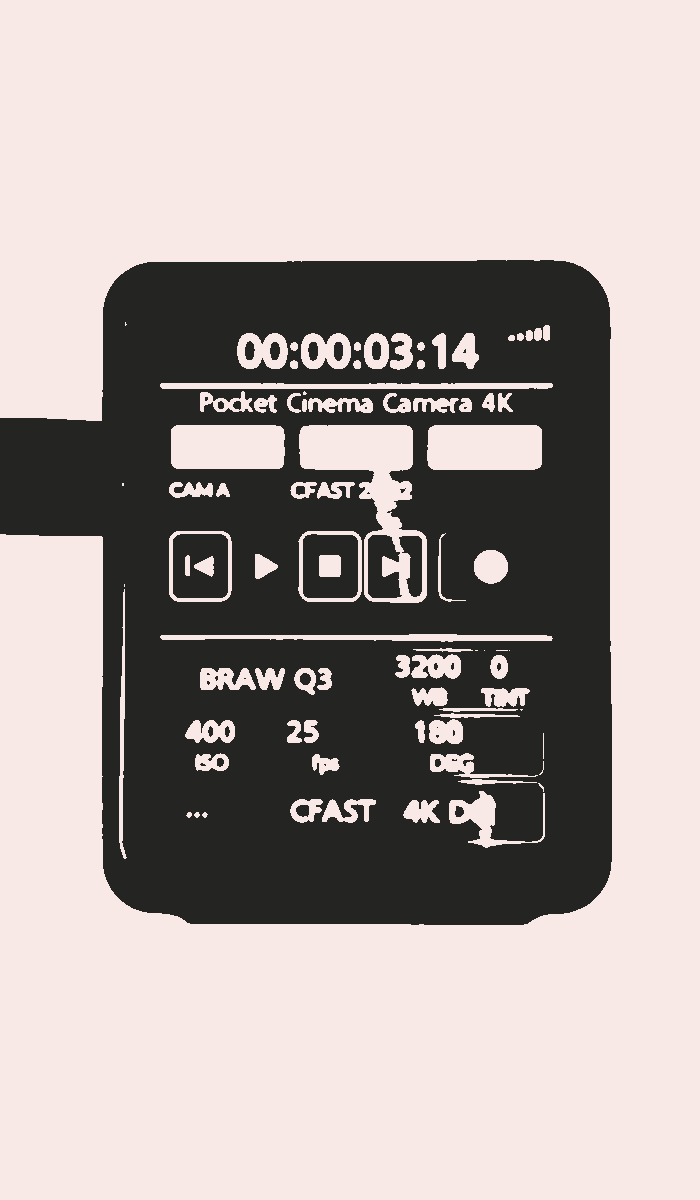
pf C2 camera control
Camera control for Blackmagic cinema cameras. It puts the camera's settings on a portrait touchscreen on the rig. C2 is short for command and control.
What it controls
- Record and playback
- Record, stop and transport buttons on the screen, with the camera's running timecode above them.
- ISO, shutter angle and frame rate
- Each has its own page of values. Frame rates run from 23.98 to 60 fps.
- White balance and tint
- Presets, or set the Kelvin value and tint directly.
- Codec and media
- BRAW or ProRes, with the quality setting, and the card in use with its time remaining.
- Slate and audio
- Scene, take, good take, interior or exterior, day or night, and the audio levels.
How it connects
It talks to the camera over Bluetooth. A value set on the touchscreen goes to the camera, and the camera reports it back, so the screen shows what the camera is actually set to.
It is developed against the Pocket Cinema Camera 4K that Peak Film shoots on. Blackmagic is the only make it supports for now; other brands may follow.
Where it fits
It mounts in a pfPod on its own, or beside pf G4 in the twin pod. The same pair also fits the pfGlass SidePod on the Tilta Nucleus-M hand controller, so camera and lens are in one hand.
Get in touch: dp@peakfilm.co.uk.
pf C2 was commissioned by Peak Film and built by Paul Walster. Like the rest of the pfGlass range, it is designed and built in house.
← Back to Peak Film